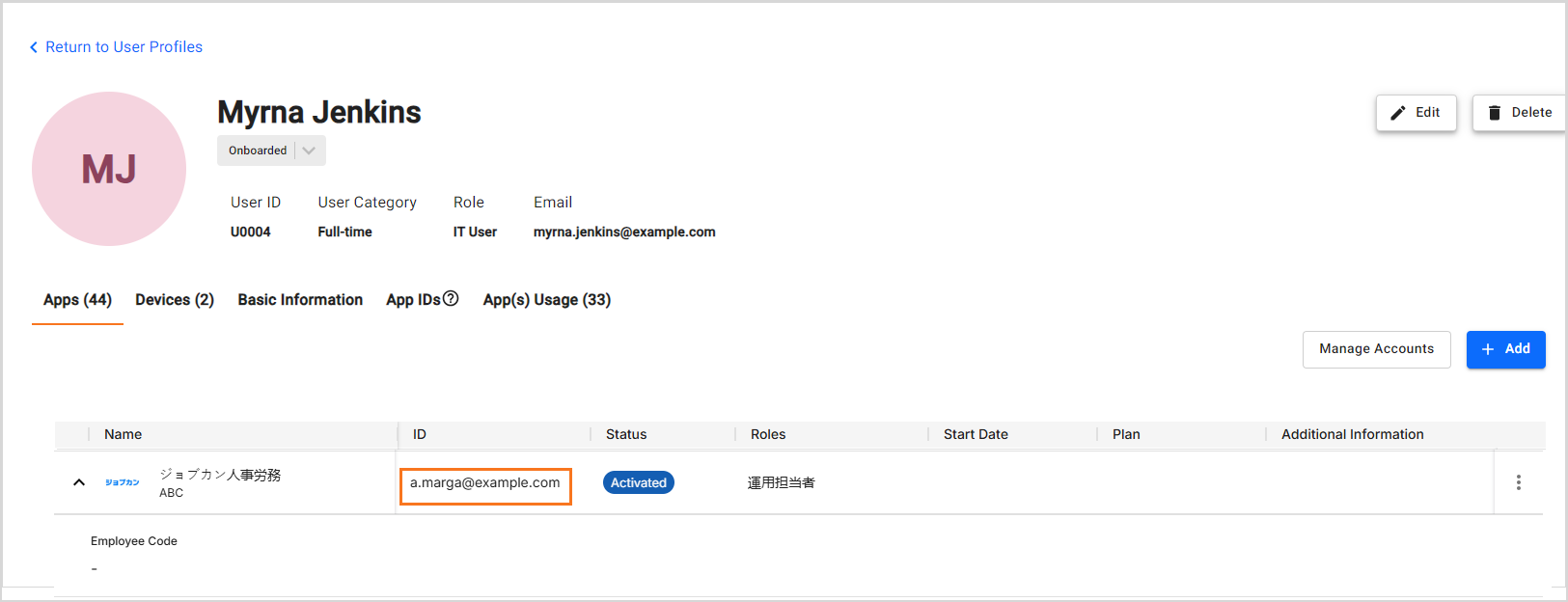
Integrating ジョブカン人事労務 with Josys enables the IT Admin to view and manage the user accounts.
Key benefits
When you integrate Josys with ジョブカン人事労務, you can:
- View: List of user accounts, including their details such as status, roles, and employee code.
- Perform actions: Add and delete a user account.
Note: Josys supports multiple ジョブカン人事労務 integrations.
Prerequisites
Before you begin with the integration, make sure that you have:
- A ジョブカン人事労務 admin account
- A Company IDA Free or Pain plan.
Locating the Company ID
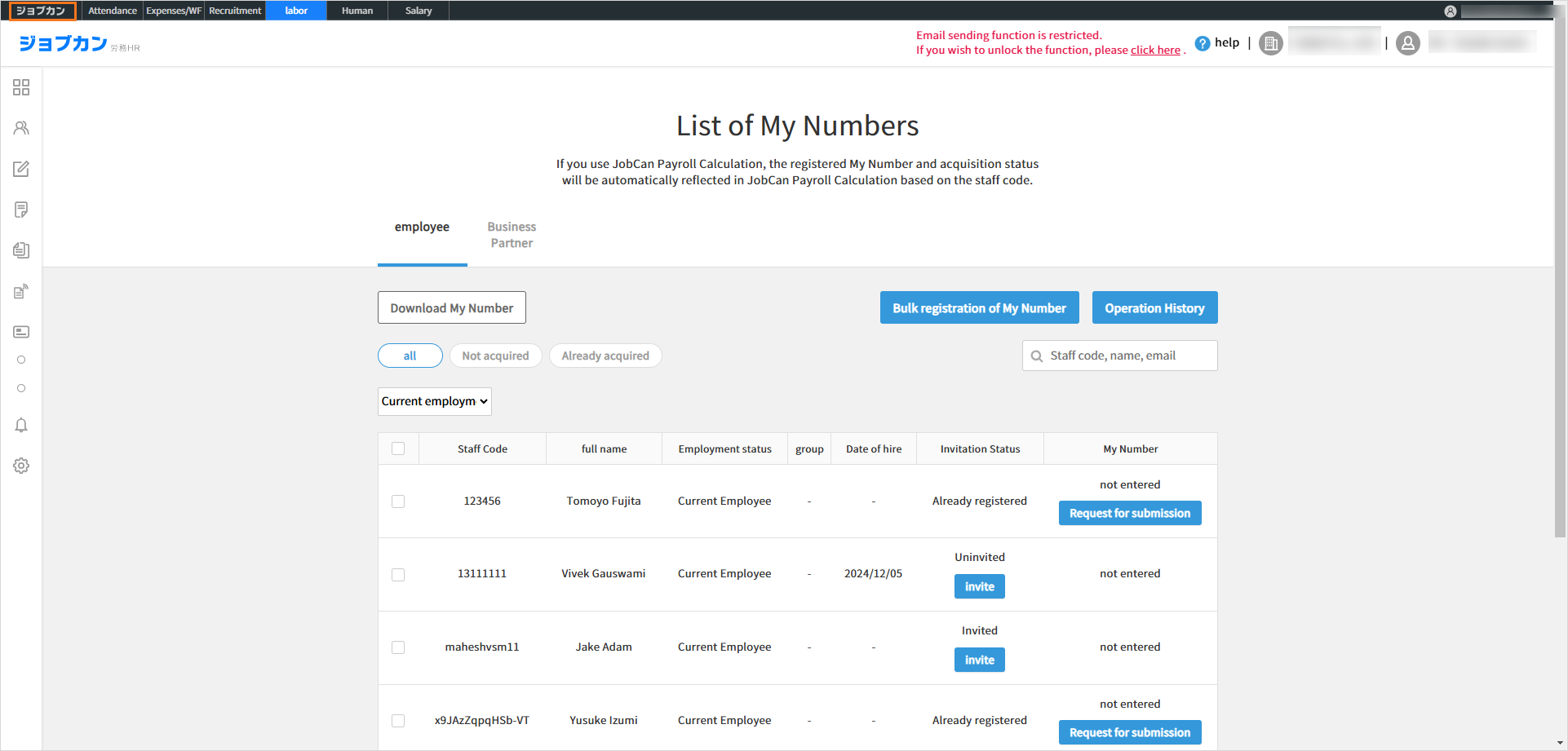
Step 1: Log in to ジョブカン人事労務 using an admin account. Click the ジョブカン人事労務 tab at the top-left corner of the screen.
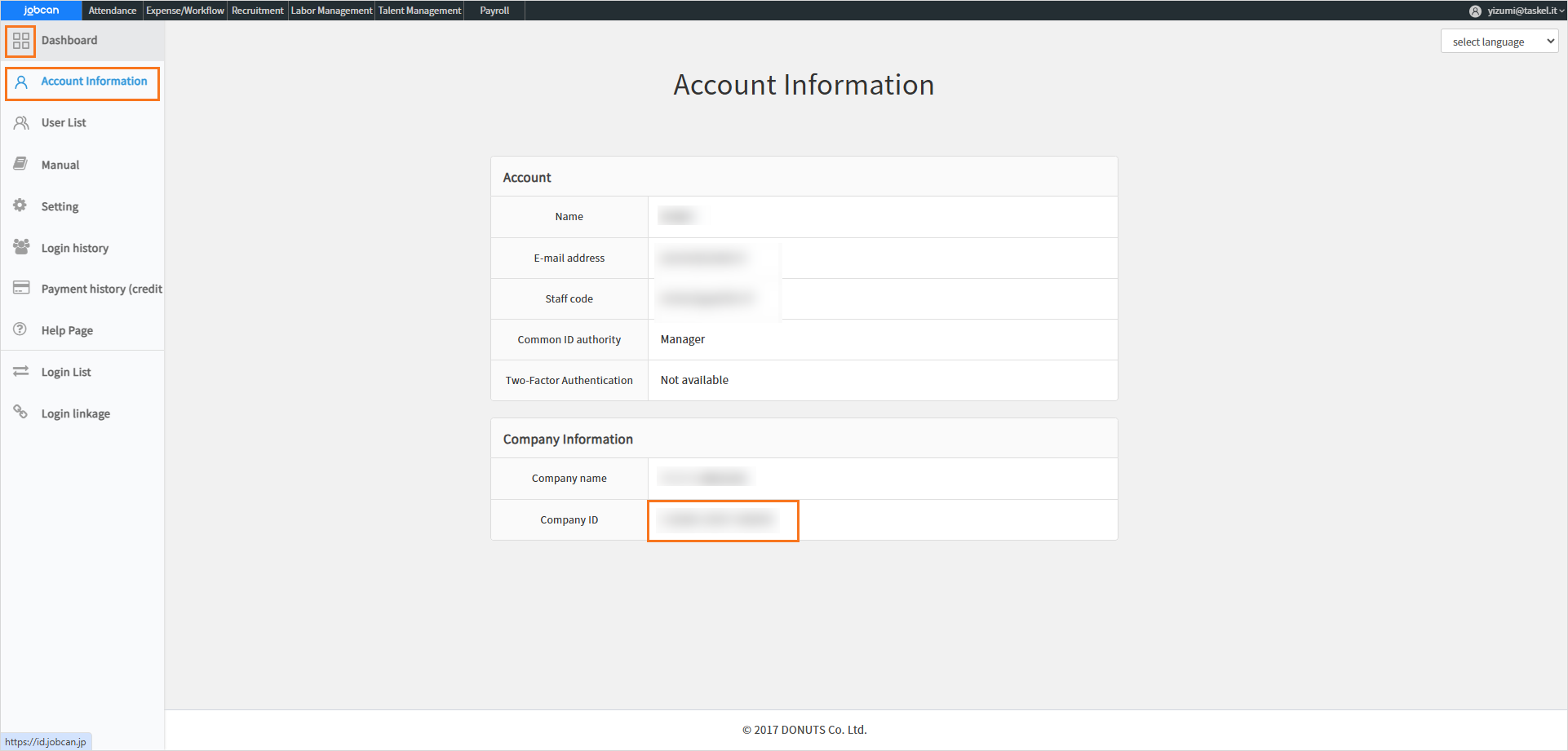
Step 2: On the JobCan screen, select Account information from the left navigation menu and copy the Company ID for later use in the integration steps.
Steps to Integrate
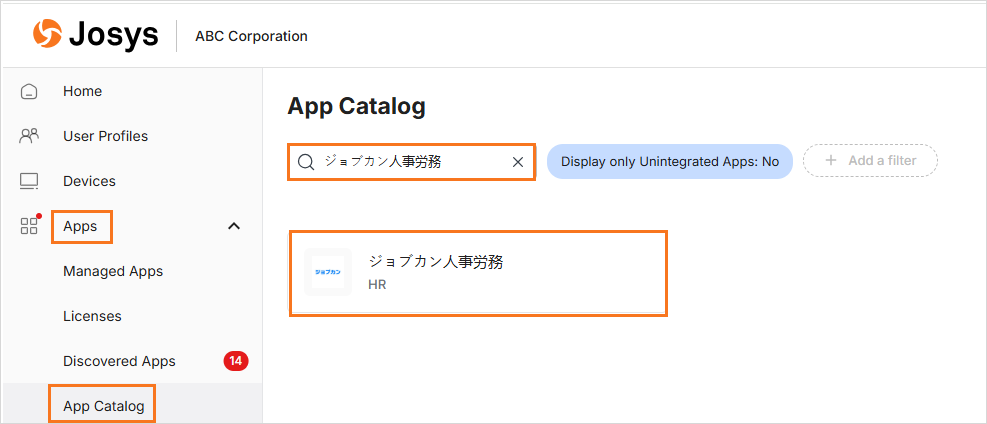
Step 1: Select ジョブカン人事労務 from the App Catalog in the Apps section.
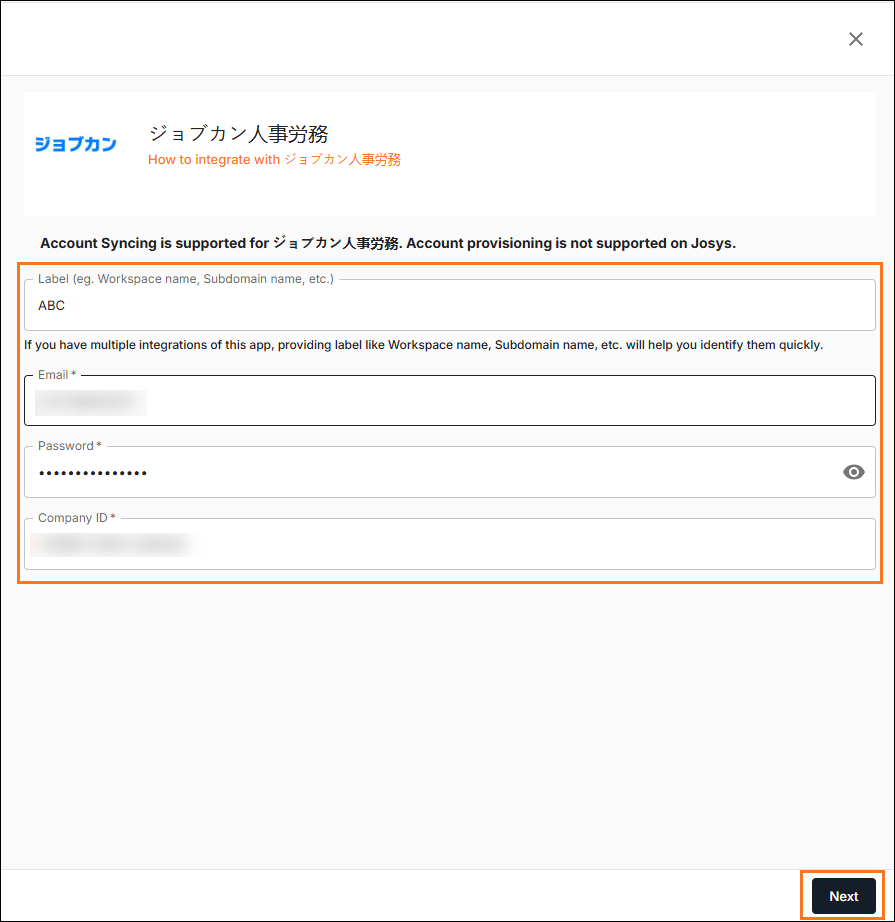
Step 2: Provide a suitable Label for identification. Enter the ジョブカン人事労務 Email and Password you used to log in to your account.
Step 3: Enter the Company ID copied in the respective field and click Next to proceed.
Step 4: After the integration is complete, allow some time for data synchronization to occur. You can now view and perform required actions from the Managed Apps in the Apps section.